mirror of
https://github.com/vonhyou/ray-tracer-comp371.git
synced 2026-10-19 19:40:05 +00:00
Concordia University, COMP 371
- C++ 94.5%
- CMake 4%
- Shell 1.5%
| Filename | Latest commit message | Latest commit date |
|---|---|---|
|
|
||
| .github/workflows | ||
| assets | ||
| external | ||
| src | ||
| student_solution | ||
| .clangd | ||
| .gitignore | ||
| CMakeLists.txt | ||
| LEARN.md | ||
| LICENSE | ||
| main.cpp | ||
| README.md | ||
| run.sh | ||

This code is based on course project from Concordia University COMP371.
The following files are provided by the course instructor:
- Showcased in
assetsfolder (except forcornell_box_demo) - Libraries and tests in
externalfolder - The
main.cppandCMakeLists.txt
Those files (except for CMakeLists.txt`) remain unchanged for evaluation purposes.
Please modify the cmake file for you to build on your machine.
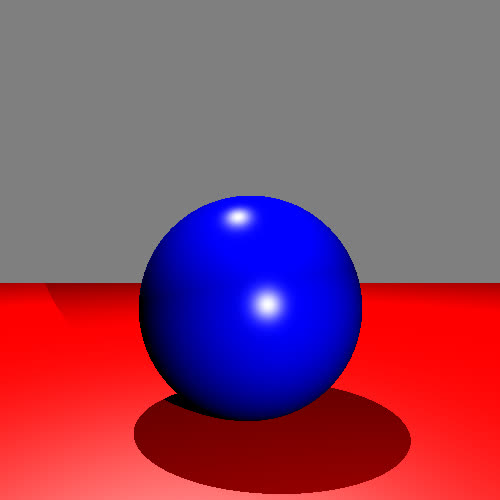
Showcase
Direct Illumination
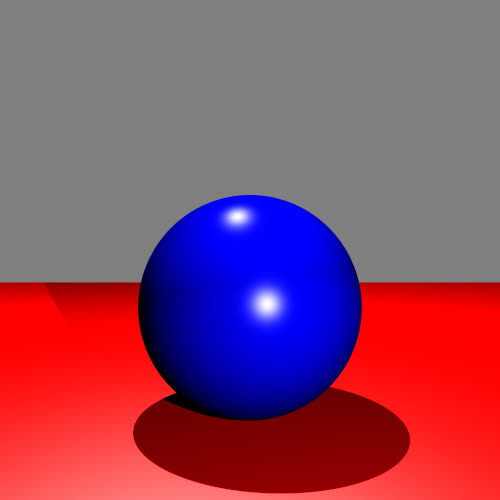
Anti-aliasing
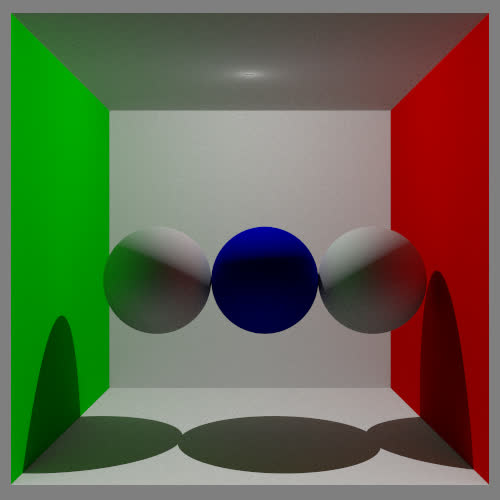
Global Illumination (Path-tracing)
The original readme content is attached below:
This code is used for three purposes:

1) Build the official course solution
2) Build the student solution
3) Build a dummy application that showcases some of the codebase.

Each build is controlled by two defines:
COURSE_SOLUTION and STUDENT_SOLUTION.

If none of these variables are defined the dummy code is built. This is the default behaviour.
If COURSE_SOLUTION is defined, the code expects the course solution (this should never be defined)
IF STUDENT_SOLUTION is defined the code expects a student solution is implemented in the src folder. Have a look at the main.cpp file for the expected interface.

You can switch on and off these defines in the CMakeLists.txt file.


Building the dummy test

1) Create build folder: mkdir build
2) cd build
3) cmake ../
4) make
5) ./raytracer

Building the solution:
1) Uncomment the #add_compile_options(-DSTUDENT_SOLUTION) line in the CMakeLists.txt
2) Create build folder: mkdir build
3) Create the src folder: mkdir src
3) cd build
3) cmake ../
4) make
5) ./raytracer <filename.json>


Note that some test scenes are provided in the assets folder. You can do a soft link to the assets folder in the build folder for your convenience.